
Getting Started
If no profile and no rounds exist yet, the app shows a start screen with two practical entry points.
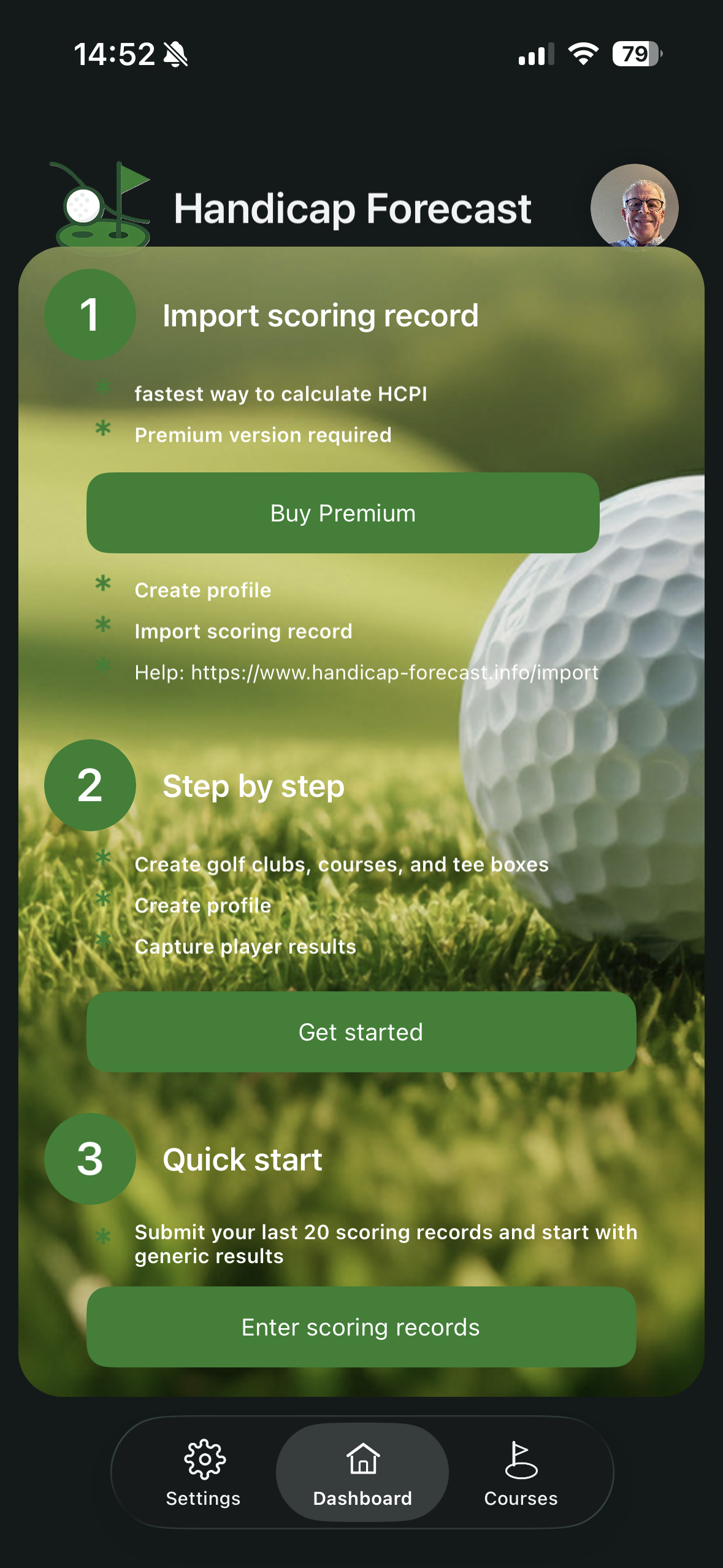
Option 1: Import Scoring Record (Premium)
This is the fastest route to a reliable HCPI timeline.
- Activate Premium.
- Create your profile.
- Import your Scoring Record.
- Review your round list and HCPI trend.
Option 2: Step-by-step setup
This option is ideal if you want to set up all core data manually and carefully.
- Create clubs, courses, and tee box ratings.
- Complete your profile.
- Record your first round.
”Let’s go” button behavior
- With active Premium, the button opens your profile directly.
- In Free mode, it opens club management.
Option 3: Generate results from SDs
This option provides a quick start based on 20 score differentials.
- Tap Enter scoring records or switch directly to your profile.
- In your profile, open the Generate results from SDs tile.
- Enter exactly 20 score differentials from handicap-relevant rounds, separated by spaces. Decimal comma and decimal point are both accepted.
- Tap Create results to generate 20 generic results. If a club/course and tee box are available in your profile, those are used instead.
- The current HCPI is calculated from these 20 SDs. The lowest HCPI may differ and can be corrected manually in the profile if needed.