Dashboard
The dashboard combines the key indicators you need at a glance.
Top-level indicators
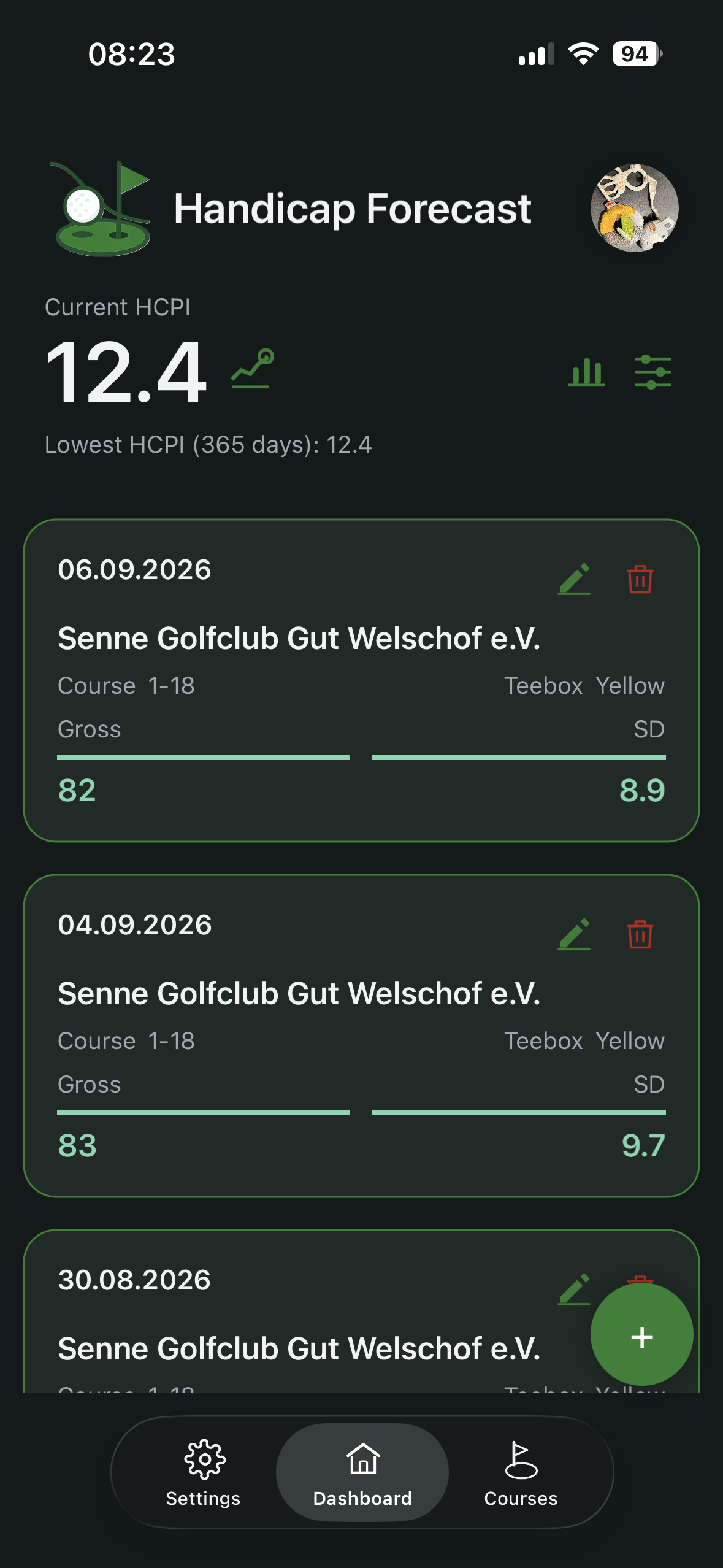
Depending on your data, the top area shows:
- current HCPI
- calculated HCPI (can differ when Soft Cap or Hard Cap applies)
- lowest HCPI of the last 365 days
There are three controls:
- the HCPI scenarios icon right next to the HCPI value
- top right, the Analysis icon (bar chart)
- top right, the View & filter icon (sliders)
View & filter
The View & filter icon controls which rounds the dashboard and all derived views show.
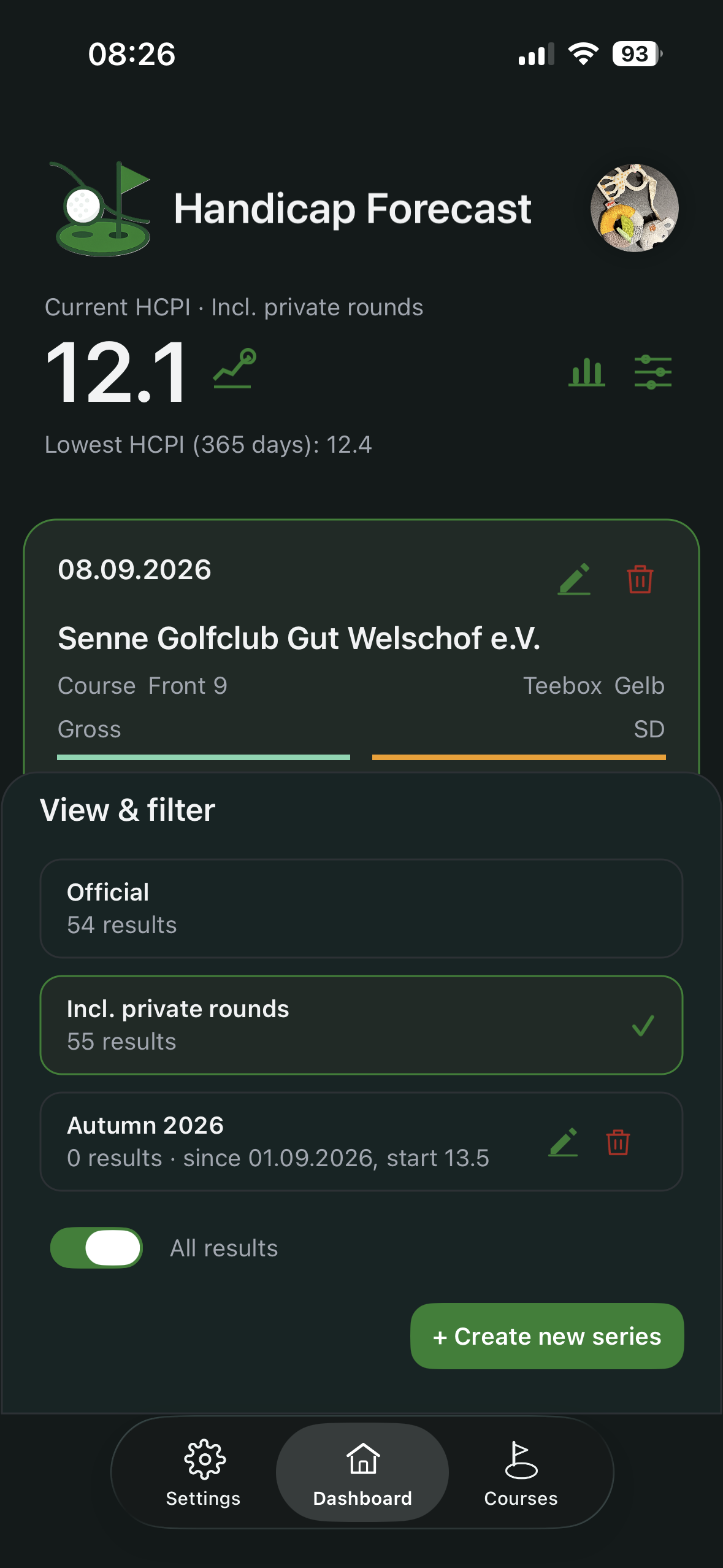
The choices are:
- Official – handicap-relevant rounds only.
- Incl. private rounds – adds the rounds that do not count for handicap.
- every series you have created.
The same sheet also holds:
- the All results toggle: off shows only recent entries, on shows the full list. The toggle only takes effect in the Premium version; in Free mode, up to 20 results are shown.
- the + Create new series button (Premium).
When a view other than “Official” is active, the header reflects it, for example “Current HCPI · Autumn 2026”.
Analysis
The Analysis icon opens the statistics for the currently selected view: number of rounds, courses played, HCPI trend as a chart, best and worst round, and – when the scorecard is complete – birdies, pars and bogeys. Full detail on the Analysis page (Premium).
HCPI Scenarios (Premium)
HCPI Scenarios are one of the core Premium features of the app. Open them from the HCPI scenarios icon next to the HCPI value. This sheet does more than show status: it gives you an immediate forecast of how your next result will affect your HCPI.
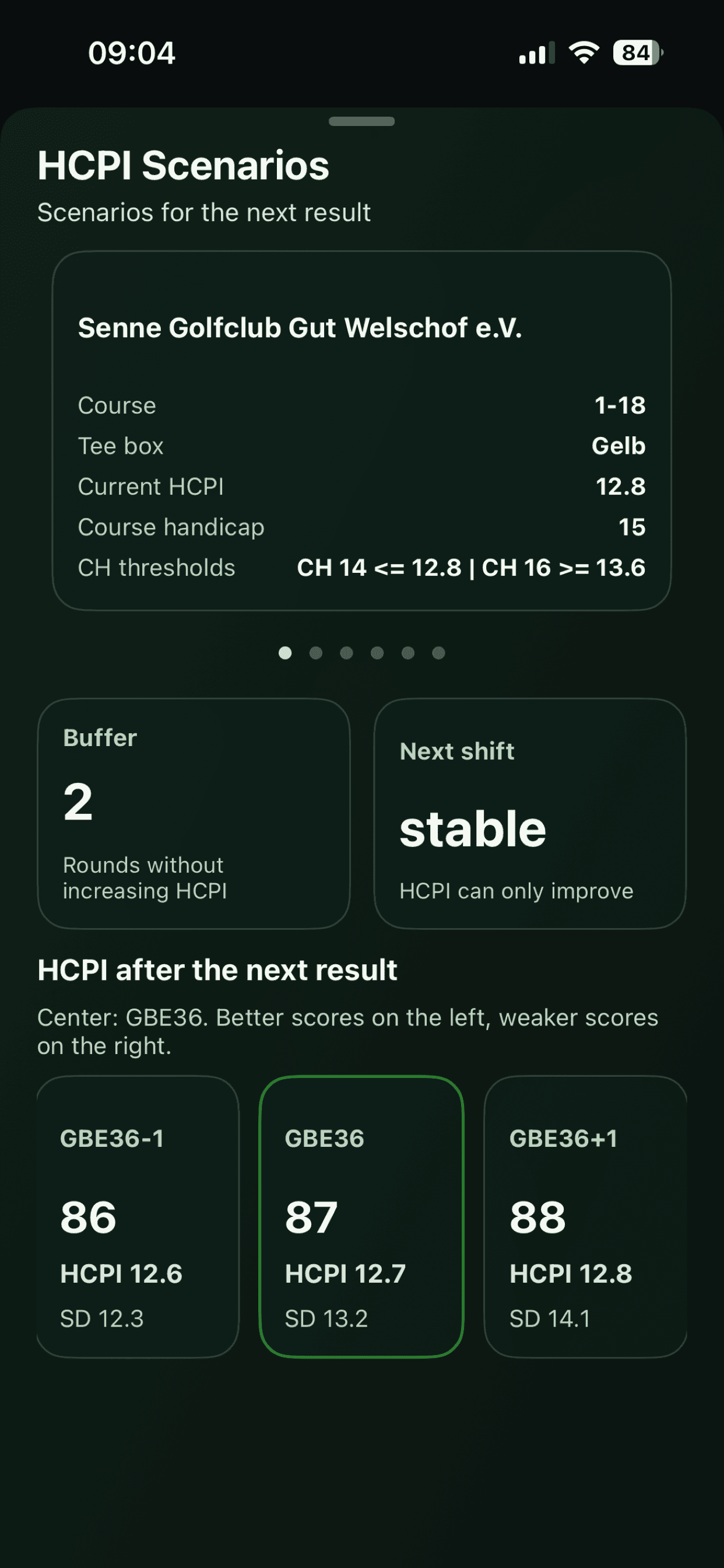
The top navigation card shows the currently selected tee box context:
- course and tee box
- current HCPI
- current course handicap
- CH thresholds (the HCPI levels where course handicap changes up or down for that tee box)
If multiple tee boxes are marked as favorites, you can swipe in the top card to switch between them. The full scenario updates instantly for the selected tee box.
The middle cards summarize your short-term risk:
- Buffer: number of rounds you can still play without increasing HCPI.
- Next shift: current status level (for example “stable” or “critical”).
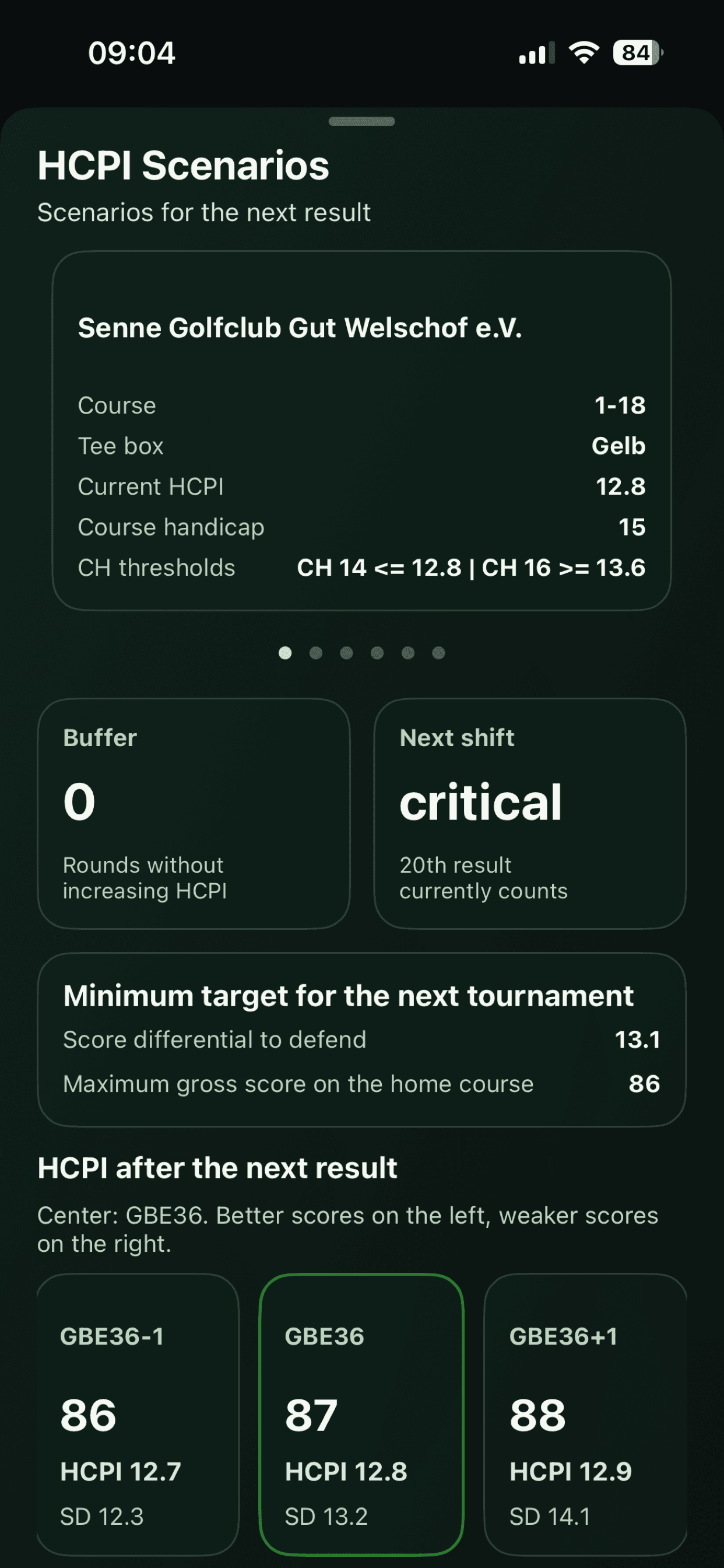
In the critical case, your next result drops the current 20th result from the list, and that 20th result is still part of the active best-8 valuation. That means the next round must meet a specific quality level to keep or improve HCPI. If you play a higher Score Differential than shown, HCPI will worsen.
The Minimum target for the next tournament card therefore highlights the key limits:
- score differential to defend
- maximum gross score on the selected course to keep the current HCPI
In the final section, HCPI after the next result, cards show projected HCPI and SD based on the GBE you play:
- GBE36 in the center is the score needed for 36 net points (playing to handicap).
- swiping left shows better outcomes and resulting HCPI.
- swiping right shows weaker outcomes and their HCPI impact.
This gives you a practical, decision-ready view before every round: where your safe zone is, where risk begins, and what score you should target.
Reading result cards
Each card includes core round data, including:
- date
- club, course and tee box
- GBE
- Score Differential
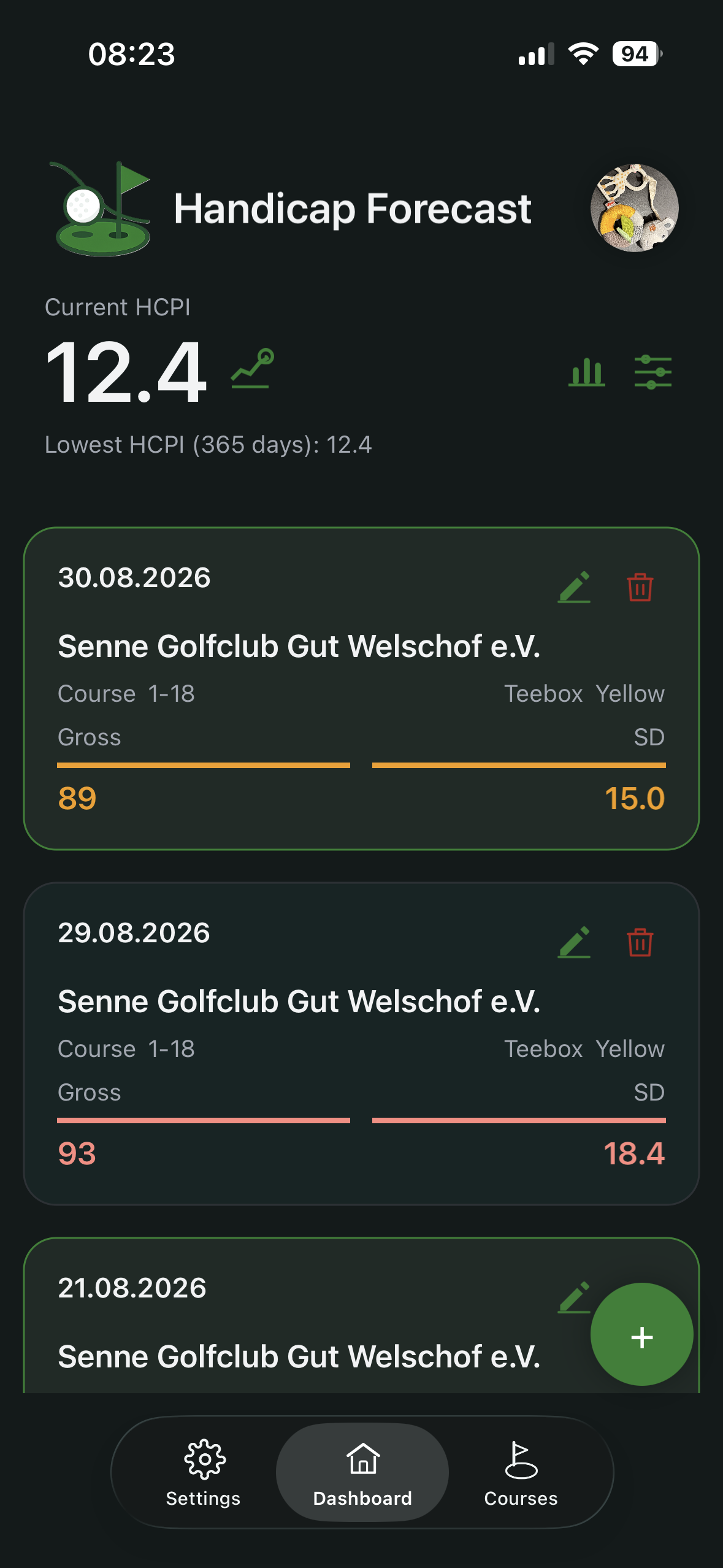
Color markers support quick interpretation:
- a green border means the round contributes to the active low-score set (the best 20).
- if the round belongs to a series, the card carries a small tag with the series name.
GBE and SD are also coloured:
- green: value is at or below reference
- orange: above reference, up to +3
- red: more than +3 above reference
Reference values:
- GBE against target score =
par + rounded course handicap. - SD against
HCPI Tee Off. - SD special case: with an
ExScadjustment (ExceptionalScoreReduction≠ 0), SD is always marked red.
Edit and delete
- Use the pencil icon to edit a result.
- Use the bin icon to delete a result.
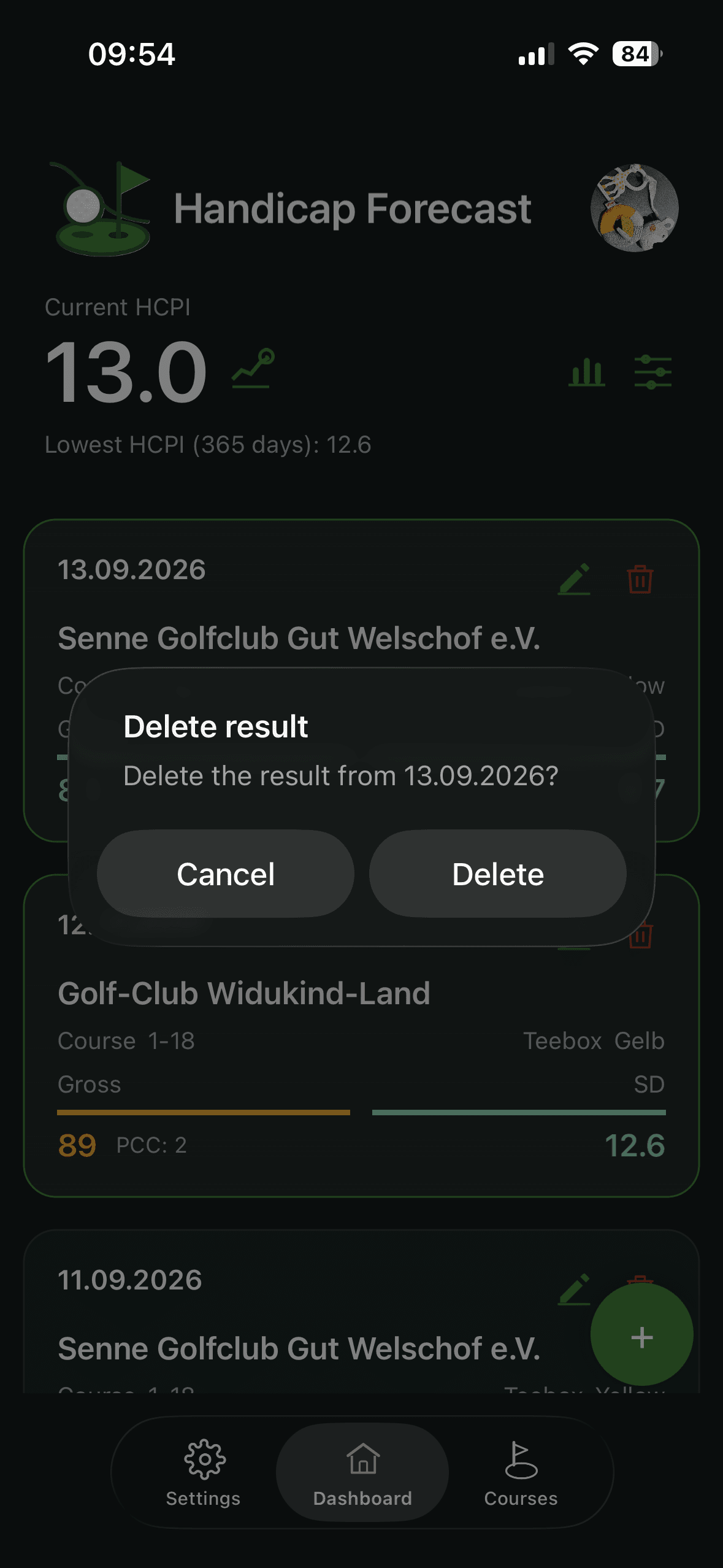
- A safety confirmation appears before delete.