
Course Details
Course details define a course’s base information and list all related tee boxes in context.
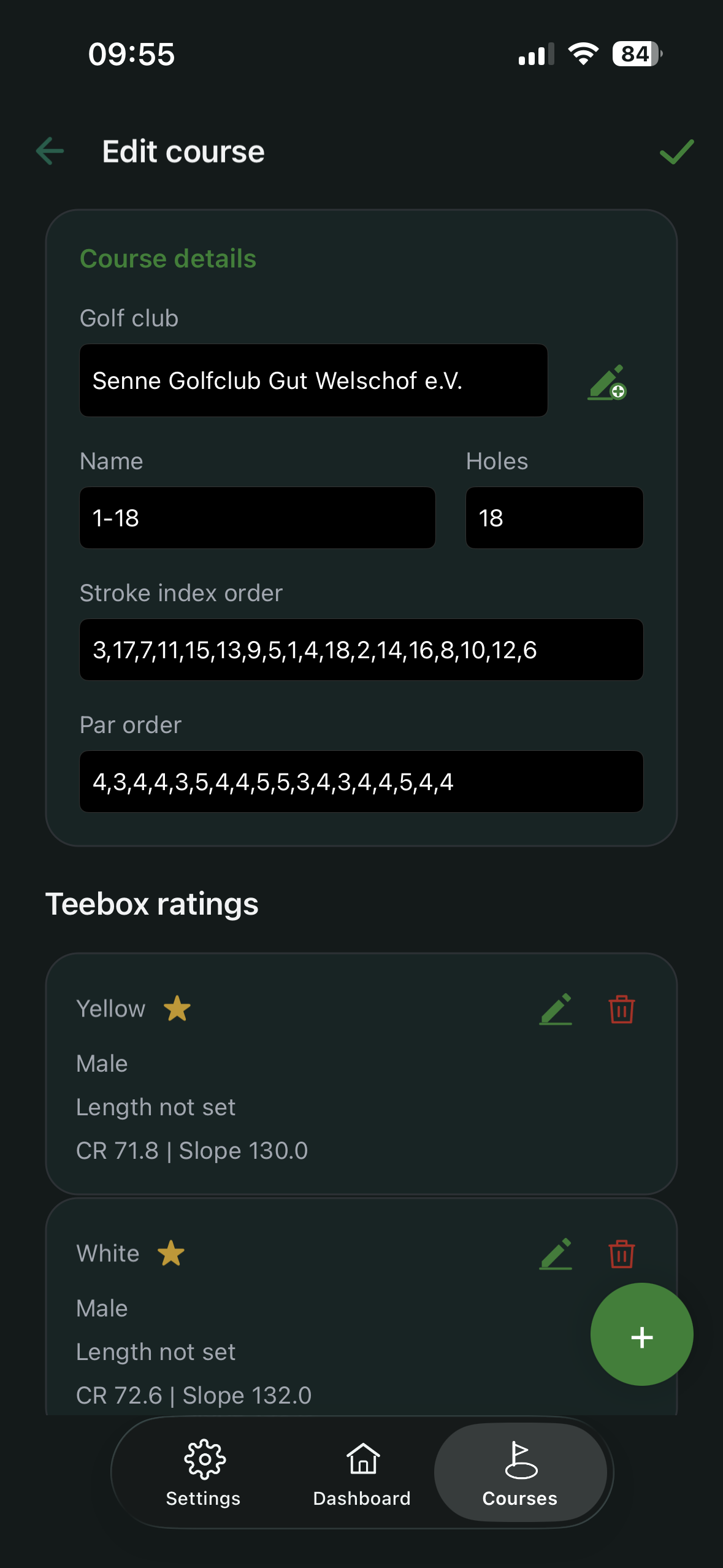
Typical fields
- assigned golf club
- course name (for example 1-18 or Back 9)
- number of holes (9 or 18)
- stroke index order – the holes’ SI values in playing order, comma-separated
- par order – the holes’ par values in playing order
Tee box ratings in context
Below course data, you can add new tee boxes or edit existing ones. Tap the star icon to mark a tee box as a favorite. Tap the star again to remove the favorite status.
Copy par and stroke index from an 18-hole course
When you create or edit a 9-hole course, you can copy par and stroke index from an already recorded 18-hole course at the same club.
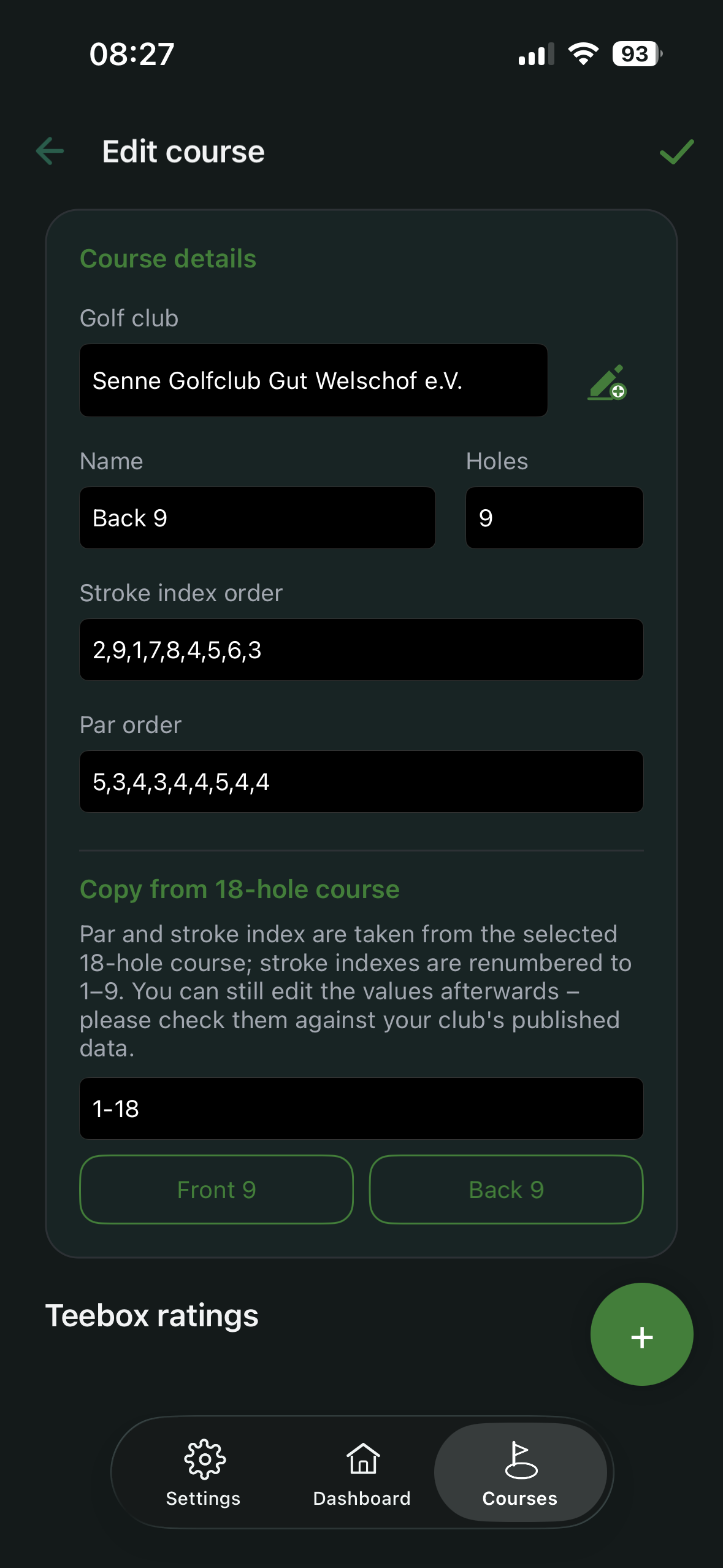
The Copy from 18-hole course section only appears when both conditions are met:
- The course being edited has 9 holes selected.
- The same club has at least one 18-hole course with both a maintained par row and a maintained stroke index row. If either row is missing, that course does not appear in the picker.
Steps:
- Select the 18-hole source course in the picker.
- Tap Front 9 or Back 9.
- The values are written into the par order and stroke index order fields and stay editable there.
The rules:
- Par is copied unchanged.
- The stroke indexes are renumbered to 1–9 while preserving their order. Example:
3,17,7,11,15,13,9,5,1becomes2,9,4,6,8,7,5,3,1. This follows the approach set out in the Rules of Handicapping (Appendix E) for stroke index allocation on a single nine. - Course Rating and Slope are not derived. Each nine is rated independently; a 9-hole Course Rating is not half the 18-hole rating. Enter them per tee box from your club’s official figures.
The copy is a suggestion, not a fixed value – check it afterwards against the published course data.
Recommendation
Keep naming and structure consistent across your dataset so rounds and analysis remain unambiguous.