
Record Results
Result entry is the most important input screen in the app. The form is grouped into cards: Date & starting HCPI, Course and Score. Use the check mark at the top right to save, or the arrow to leave without saving.
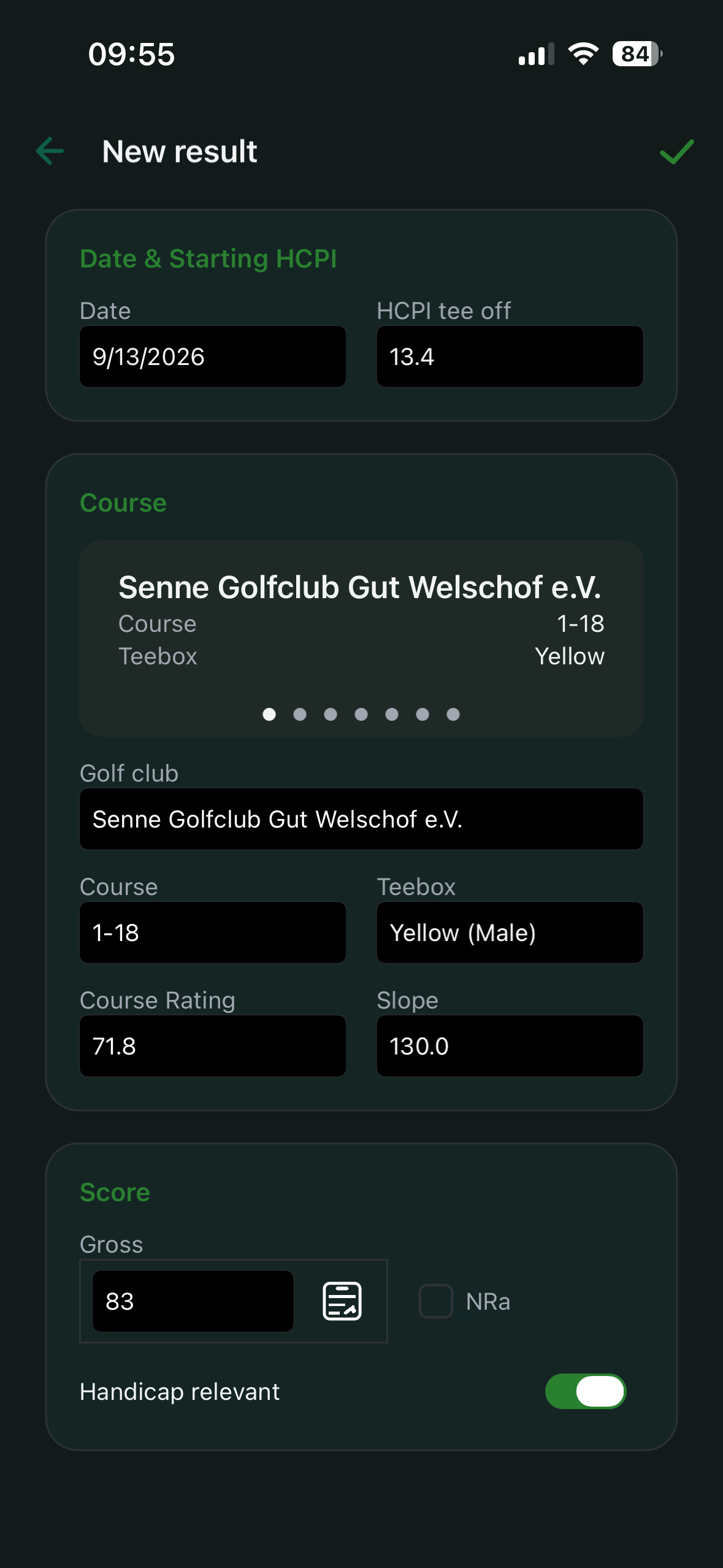
Key fields for calculation
The most relevant fields are:
- round date (prefilled with today)
- HCPI Tee Off – your Handicap Index at the start. Once a first HCPI has been calculated, this field is prefilled. In Free mode this is only correct if these really are the first results of your golfing career.
- club, course and tee box (prefilled when the profile fields are maintained)
The following values are taken from the selected course and tee box. You can override them for a single round if needed:
- Course Rating
- Slope Rating
- GBE
- PCC – usually not yet known right after the round. It is determined by the federation. If it differs from
0, add it later so future HCPI calculations are correct.
Recommended input order
- Verify the date
- Enter HCPI Tee Off
- Select club, course and tee box
- Confirm Course Rating and Slope Rating
- Enter GBE – as a total, or via the scorecard
- Add PCC if officially known
- Save
Mark a result as handicap relevant
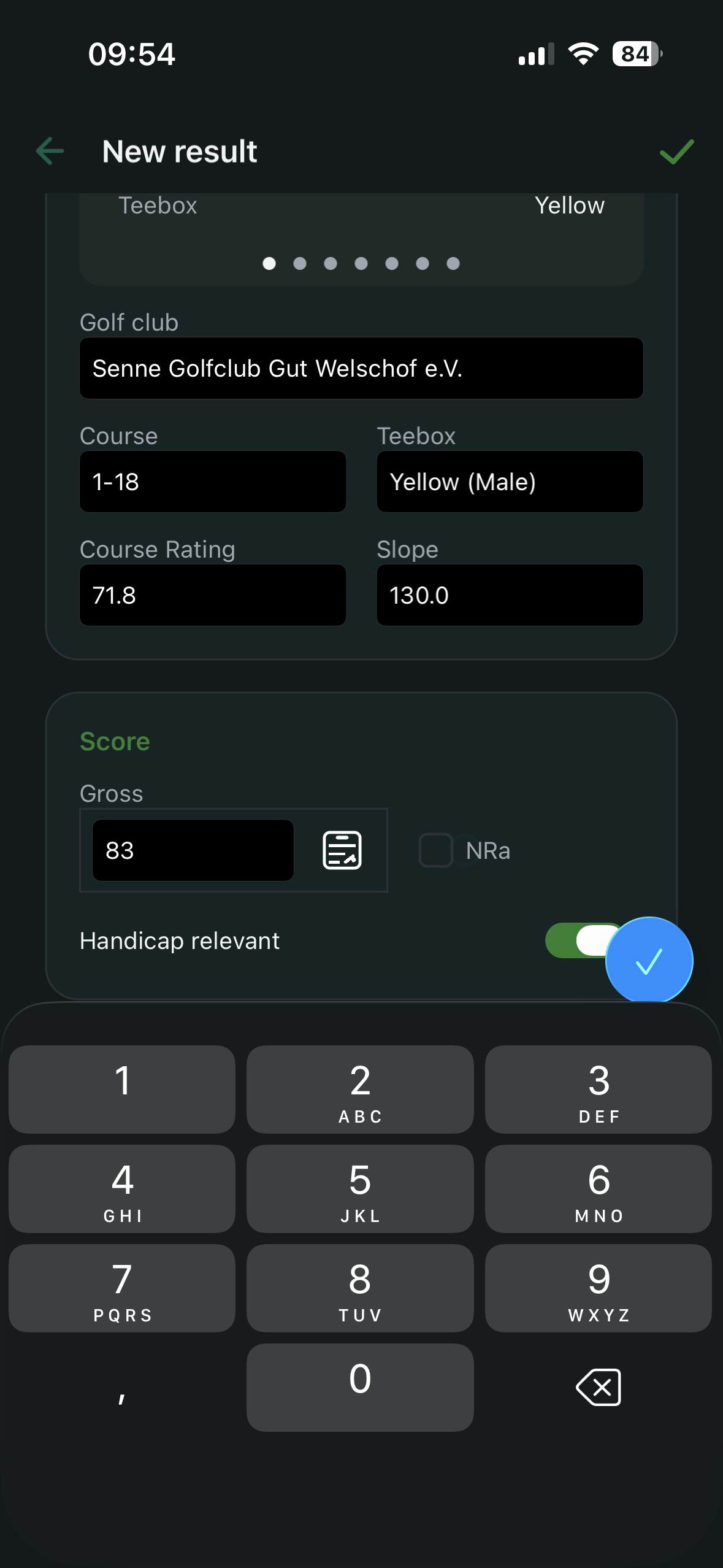
In the Score card, the Handicap relevant switch decides whether the round feeds into the HCPI calculation. The switch is on by default for every new round; when you edit an existing result it sits in the same place.
- Turn it off and the round no longer counts towards the Handicap Index. The trend is recalculated the next time you open the affected views.
- Rounds that do not count for handicap appear in the dashboard view Incl. private rounds and can be assigned to a series.
Record a round hole by hole with the scorecard
Instead of typing only a total, you can record a round hole by hole. Next to the GBE field in the Score card is the scorecard icon; it opens the scorecard. Entering a total GBE still works alongside it – the scorecard is an addition, not a different mode.
How entry works:
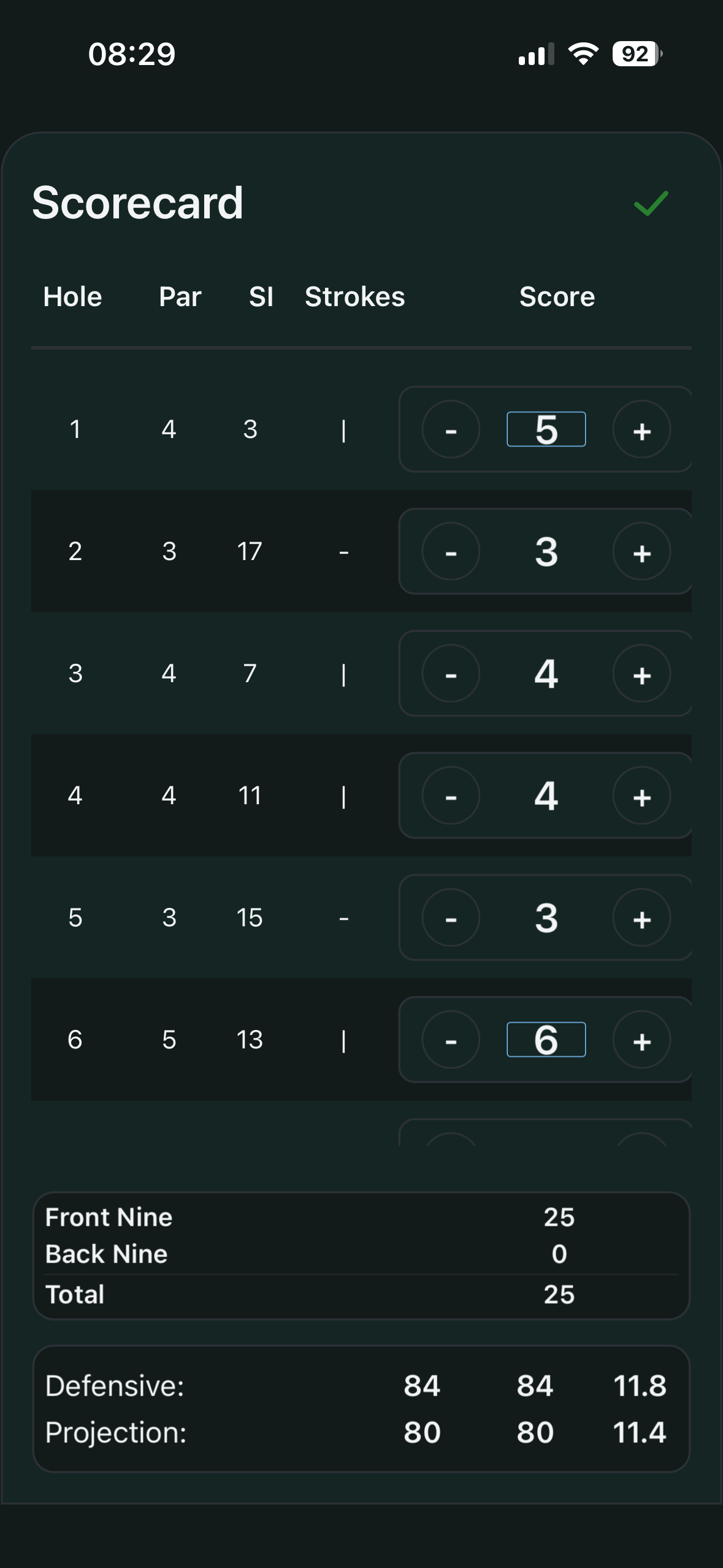
- For each hole you only enter the strokes (with the − and + buttons). Par, stroke index (SI) and your handicap strokes on the hole are shown alongside.
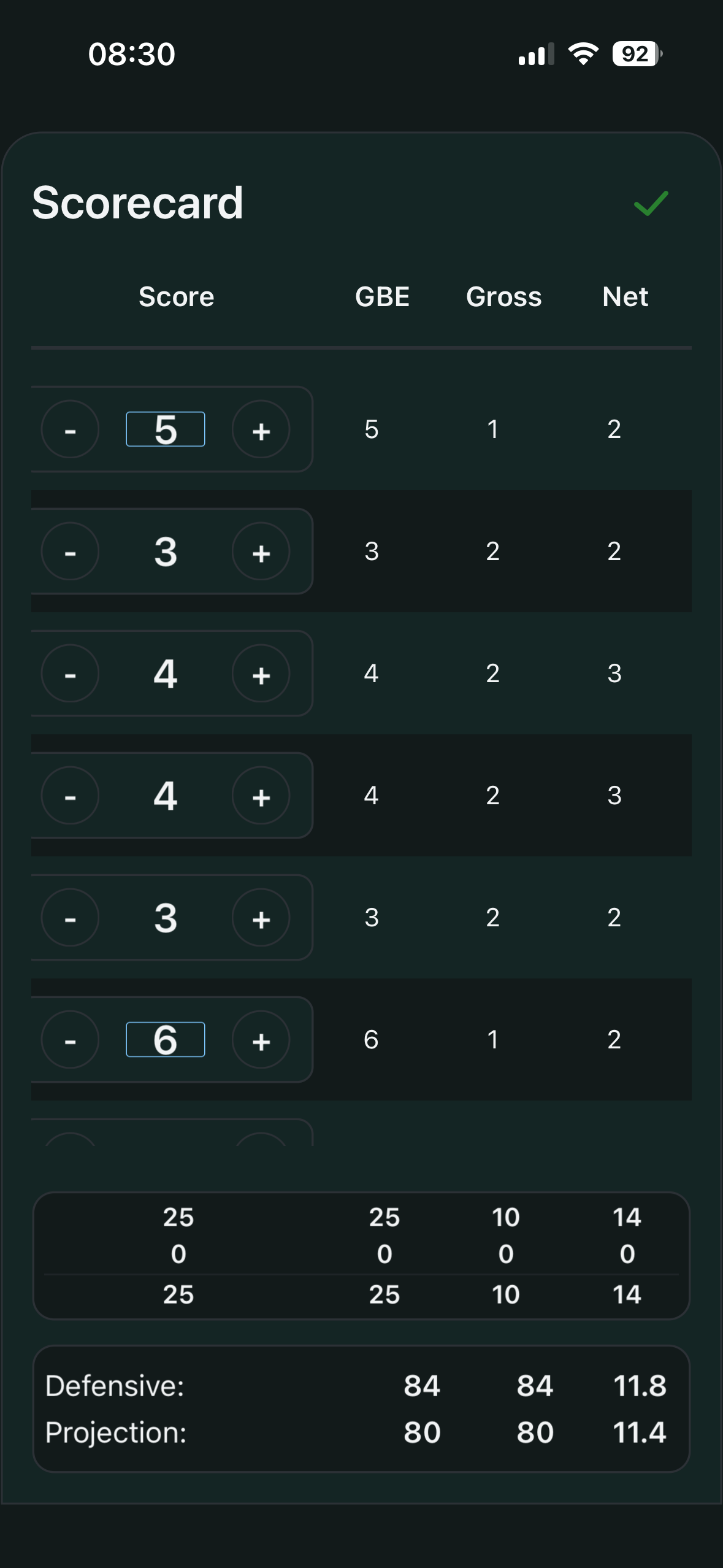
- The app derives gross and net points and the adjusted gross score from your strokes. A second view of the scorecard shows the GBE, Gross and Net columns per hole.
- The Front Nine, Back Nine and Total rows show the running subtotals.
- Two projections run along the bottom: Defensive (a cautious estimate) and Projection (a progressive trend) of the expected result and HCPI – both based on the holes entered so far.
Note on par: a maintained par per hole is not required just to record the round. If it is missing, the app estimates an evenly distributed par. That estimate is only for display – the Analysis deliberately does not use it.
NRa – scoring a curtailed 18-hole round
If an 18-hole round is ended early, it can still be scored in line with WHS from at least 10 holes played. To do so, tick NRa in the Score card (next to the GBE field).
Conditions for NRa:
- an 18-hole round is selected.
- at least 10 but not all 18 holes are entered on the scorecard with a stroke value. Holes left blank or set to
0do not count as played.
If the conditions are not met, the app shows the hint “NRa not possible” with the reason. No reason for stopping is requested.
The app fills in the holes not played automatically using the official adjustment rule: net par (the hole’s par plus your handicap strokes), and one extra stroke on the first hole not played if 13 or fewer holes were played. The played and filled-in holes form the adjusted gross score, from which the Score Differential is calculated. Background and a worked example: the glossary entry Abandoned round.
Data quality hints
The app validates required fields and implausible entries. For reliable trends, always double-check Slope, Course Rating and GBE.