
Series
A series answers one simple question: How would my HCPI have developed if these rounds had also counted for handicap? Typical cases are winter rounds, a practice run over several weeks, or working through a “what if”.
Creating a series is a Premium feature. Series you have already created stay usable without Premium.
How a series is calculated
A series is not a separate calculation – it is a continuation. The HCPI of a series is built from your real official history plus the rounds in the series, slotted in chronologically.
So if you create a new series and assign a single round to it, the app carries on from your existing official rounds – not from that one round alone. The series view only lists the results that belong to the series; behind it, the full data pool feeds the calculation.
The starting HCPI and start date of a series are shown for information only and do not change the calculation. The start date does act as a boundary, though: rounds played before it cannot be assigned to the series. The app does not flag this – if you save a round dated before the start date while the series is active, it is saved normally but does not appear in the series.
Create and select a series
Series are controlled from the filter icon at the top right of the dashboard. It opens the View & filter sheet.
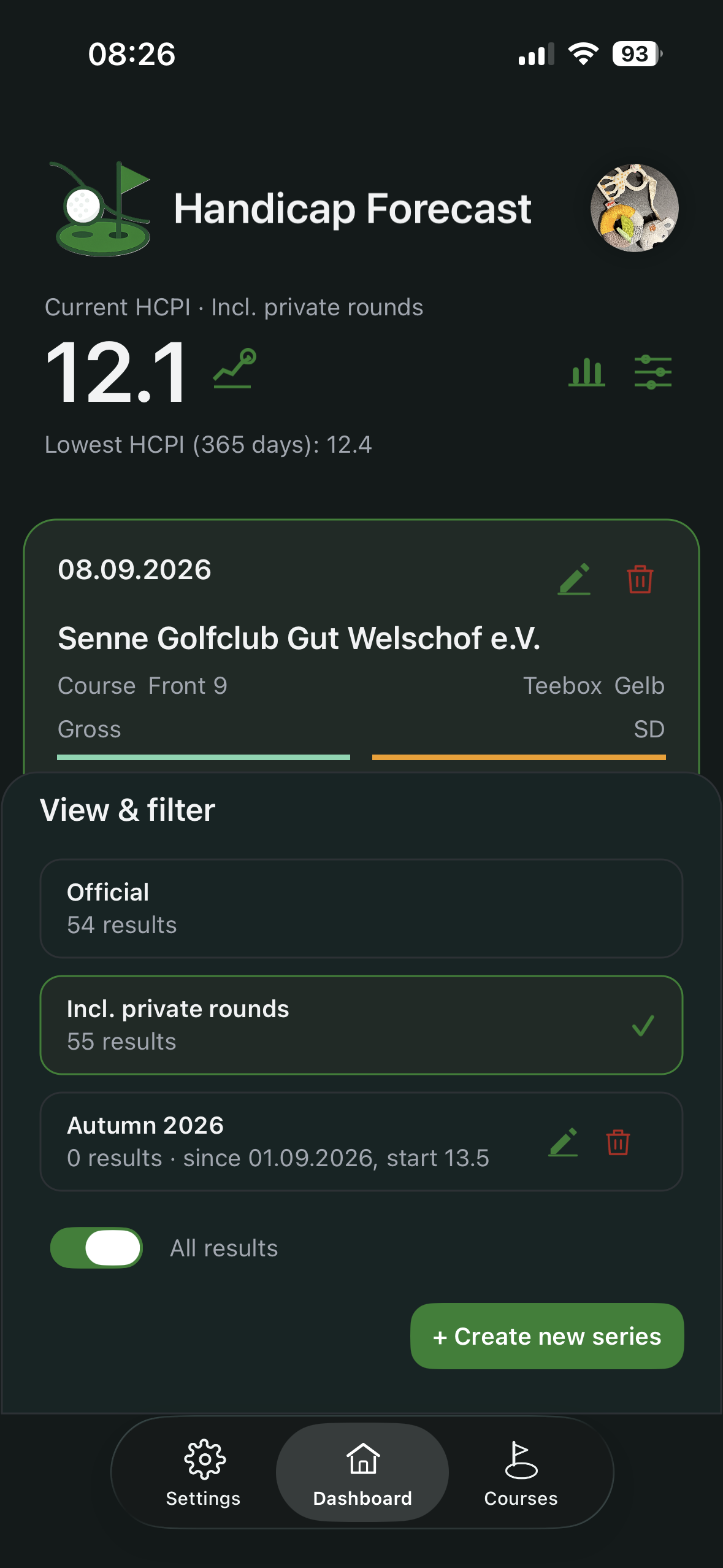
The choices there are:
- Official – handicap-relevant rounds only.
- Incl. private rounds – adds the rounds that do not count for handicap.
- every series you have created, with its name, result count, start date and starting HCPI.
+ Create new series opens a dialog with three fields:
- Name (required)
- Starting HCPI – prefilled with your current official HCPI
- Start date – prefilled with today
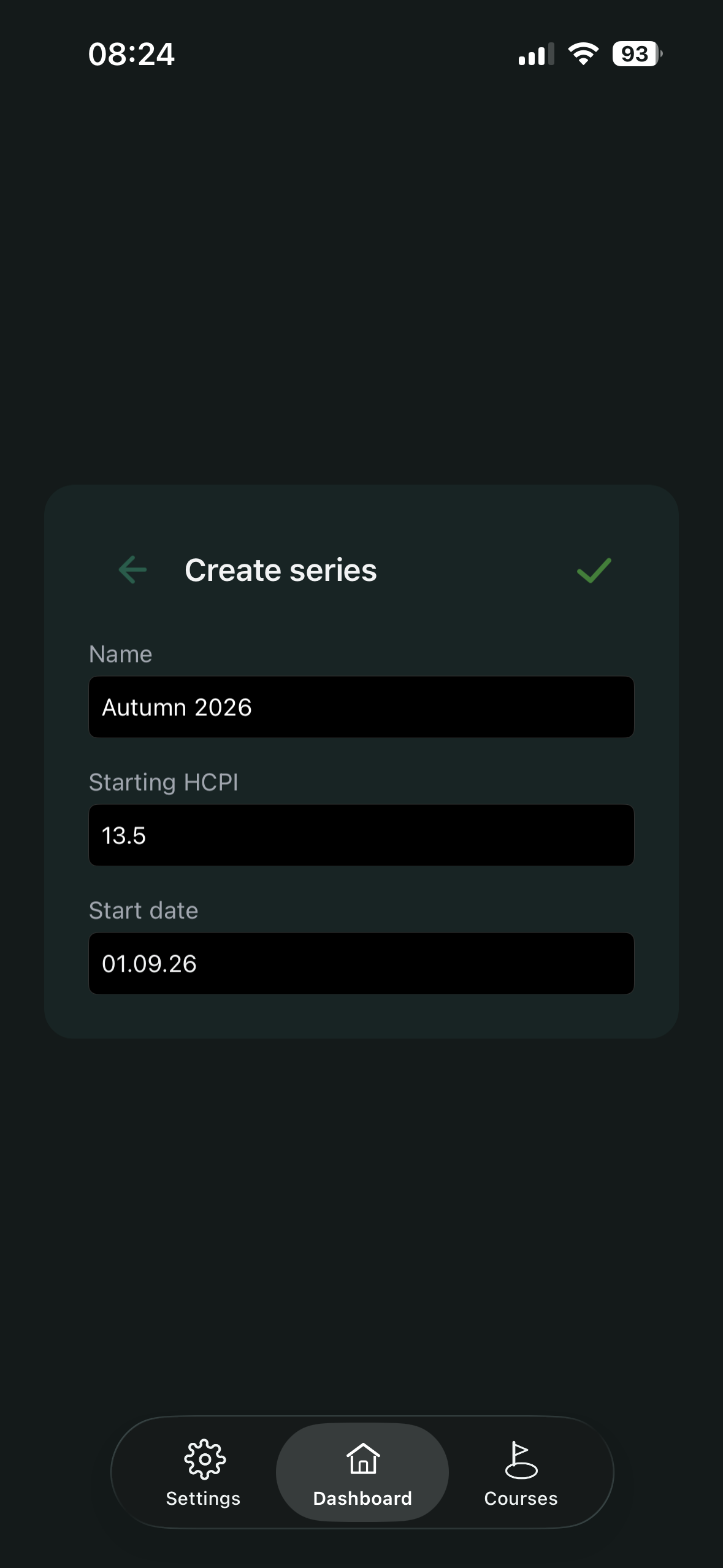
After saving, the series can be selected in the sheet. While a series is active, the dashboard header shows the selected view (for example “Current HCPI · Autumn 2026”).
Assign rounds to a series
Assignment happens automatically when you save a new result while a series is selected on the dashboard. No extra step is needed.
- Editing an existing result later does not assign it to a series.
- A result that has already been recorded currently cannot be assigned to a series afterwards.
- Assignment is independent of whether the round counts for handicap: a winter round can be both non-counting and part of the series; a regular tournament round can be both.
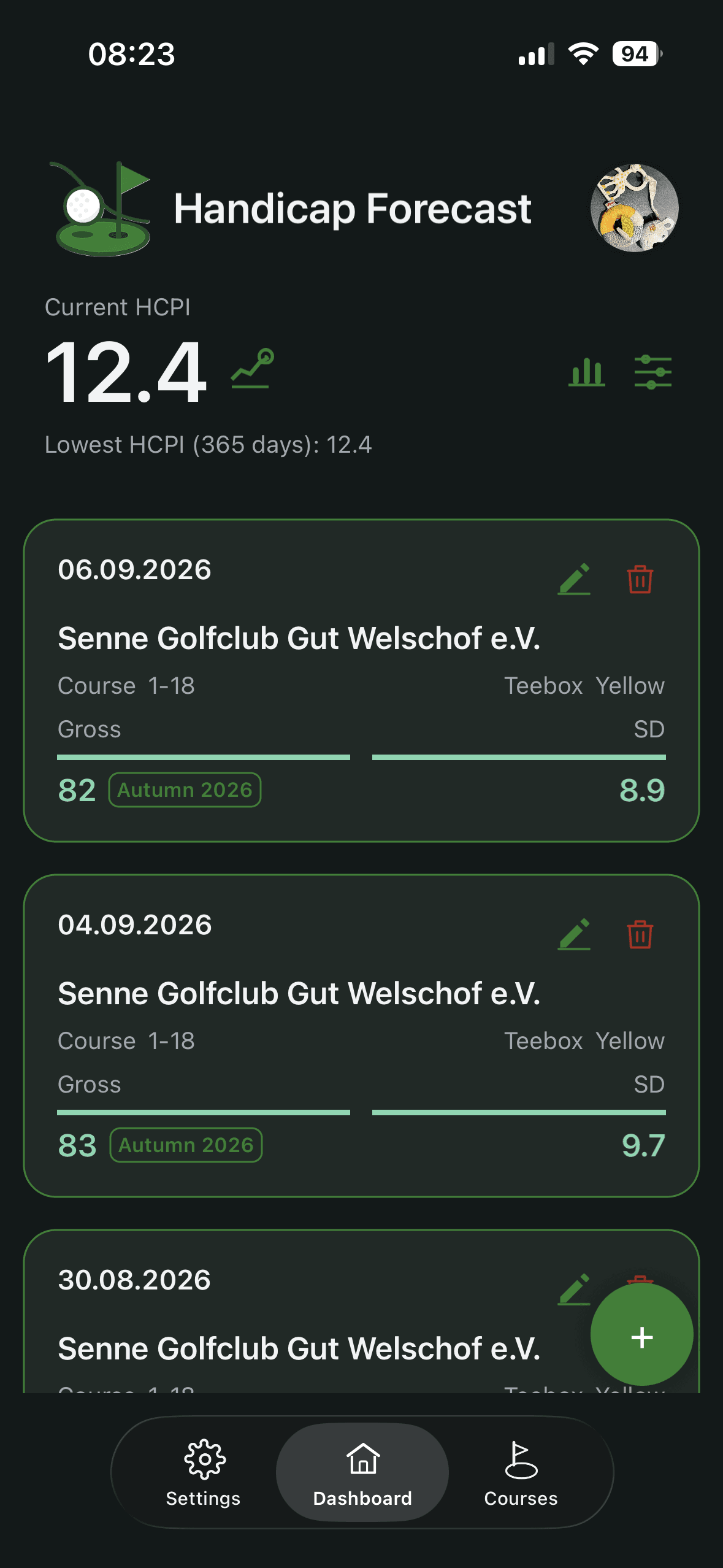
In the Official and Incl. private rounds views, assigned rounds carry a small tag with the series name. In the series view itself the tag is dropped – the fact that a round appears there already shows it belongs.
Delete a series
When you delete a series, the app also removes the results that are assigned only to that series and do not count for handicap. Handicap-relevant results are always kept.
Note for the Free version
The Free limit of 20 stored results counts across all recorded results – including those assigned only to a series. This is why creating new series is a Premium feature.